
Firewatch runs natively on Linux and has since launch day. Buy it on Steam or GOG and it installs like any Linux program, with no Proton needed. It’s Steam Deck Verified, plays fully on a controller, and has no anti-cheat or online parts to worry about.
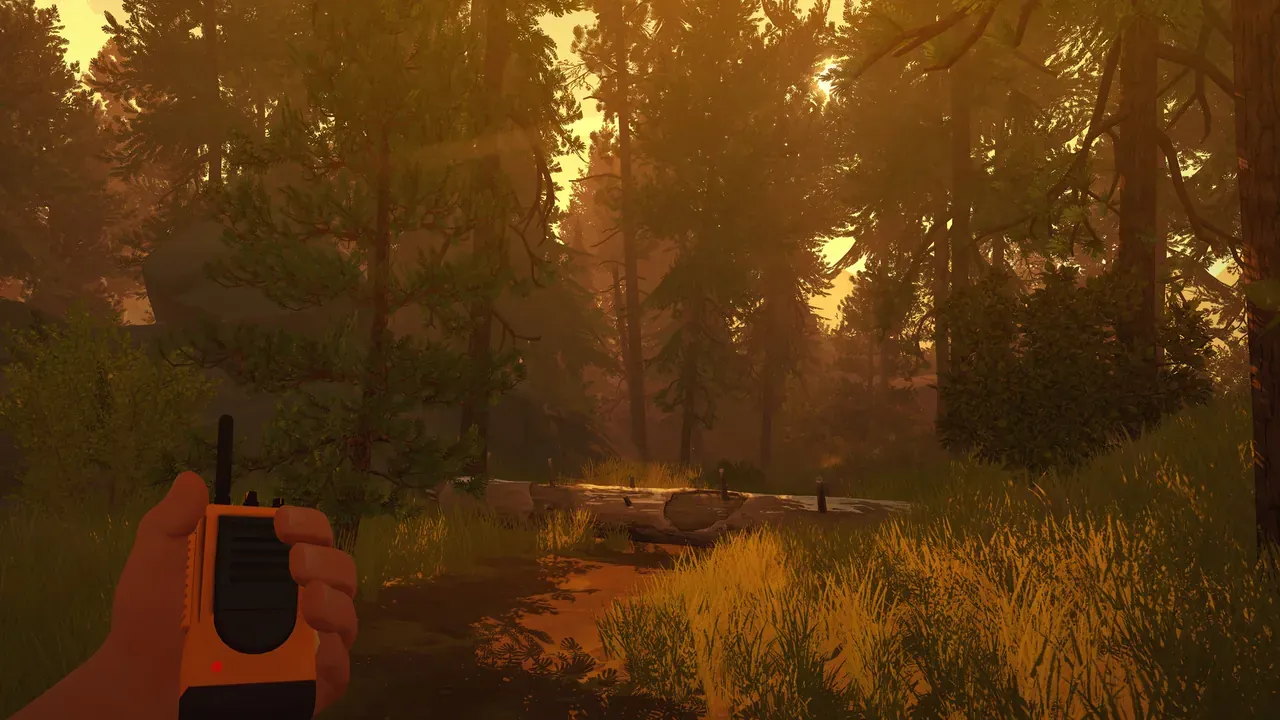 Firewatch: Henry and his radio. Screenshot: the game’s Steam store page.
About the game
Summer 1989, Wyoming. Henry takes a job as a fire lookout to get away from his life for a while, and ends up with a tower, a lot of forest and one voice on the radio: Delilah, his supervisor, who is funny, nosy and somewhere out of sight. Then strange things start happening in the woods. Firewatch is mostly walking, looking and talking, and the talking is the best part: Rich Sommer and Cissy Jones voice the two, and you pick what Henry says, or whether he says anything at all.
Campo Santo made it, with Panic publishing, and the painted look comes from poster artist Olly Moss. It came out in February 2016. Two years later Valve bought the studio.
How it runs
Natively. The Windows, Mac and Linux versions came out on the same day, 9 February 2016, and the Linux build is 64-bit only (PCGamingWiki).
- Linux requirements: a 64-bit system, 6 GB RAM and a GeForce 450-class card with 1 GB of memory, according to the Steam store page.
- Last Linux fix: the update of 21 December 2021 fixed an issue that kept some Linux users from launching the game (patch notes). It’s the most recent update.
- Proton: not needed. The Windows version rates Platinum on ProtonDB too, from about 80 reports, if you ever want to compare.
Install and setup
- Steam: install it as normal. Steam picks the Linux build by itself.
- GOG: download the Linux installer from your library on gog.com, or install it with Heroic or Minigalaxy, which handle GOG’s Linux games (where to buy Linux games).
- Controller: fully supported, with remapping, sensitivity and Y-axis inversion. Xbox and PlayStation pads both work, and you can plug one in while the game is running.
Saves and settings
Firewatch is a Unity game, and on Linux it keeps everything in your config folder:
# settings (any distribution)
~/.config/unity3d/CampoSanto/Firewatch/
# saves
~/.config/unity3d/CampoSanto/Firewatch/saves/
Steam Cloud is supported. One catch: Steam syncs the Linux saves from ~/.config/unity3d/CampoSanto/Firewatch, while the game writes to $XDG_CONFIG_HOME/unity3d/CampoSanto/Firewatch. On most systems those are the same folder. If you’ve set XDG_CONFIG_HOME to something else, your saves won’t reach the cloud.
Known issues and fixes
- Narrow field of view. The default FOV is 55° vertical, and there’s no slider. On Linux, edit the
prefsfile in the settings folder above and setfovAdjustto 100 times the number of degrees you want to add:3500for an FOV of 90. - Game won’t launch. Make sure you have the December 2021 update; it fixed a Linux launch problem.
- Wide screens and high refresh rates: widescreen, ultrawide and 120 FPS and up work out of the box.
Paths, the Steam Cloud catch and the FOV fix are from PCGamingWiki’s page, linked above.
Steam Deck
Verified, by Valve’s rating on the Steam store page. Valve’s notes: the default controls work, the on-screen glyphs match the Deck’s buttons, text is legible and performance is fine. Nothing to set up.
Mods
Firewatch has no official mod support. There’s a fan-made VR mod, Two Forks VR; we haven’t checked whether it works with the Linux build.
Similar games
- Return to Monkey Island: another story-first adventure with a native Linux version.
- 14 games like Myst for Linux gamers: exploration and puzzle games.
- More adventure games.
Where to get it
On Steam and GOG, both with the Linux version. GOG’s copy is DRM-free.