
Revenge of the Titans runs natively on Linux, on almost anything. You only need OpenGL 1.5 and 512 MB of RAM. It’s Steam Deck Playable as well. The one thing to know is this: without the xrandr tool installed, it crashes at start.
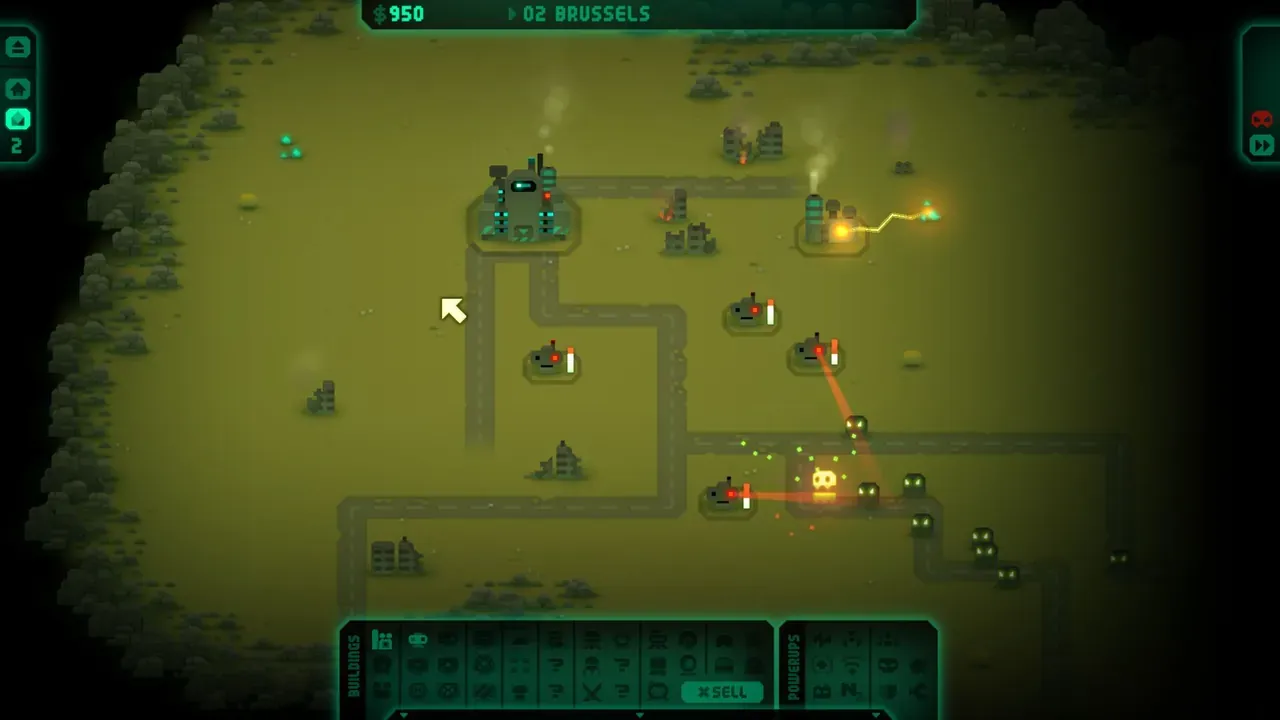 Revenge of the Titans. Screenshot: the game’s Steam store page.
About the game
The Titans lost the war in space, so now they’re walking up to your base on foot. Revenge of the Titans is tower defence with real-time strategy mixed in: you build turrets, refineries and walls, research new toys between missions, and watch waves of cartoonish aliens chew through your planning. It looks retro on purpose, all chunky pixels and a bouncy soundtrack, and it’s harder than it looks. Puppygames, a small British studio, made it in Java, which is how it ran on Linux from the start. It came out in 2010, and on Steam in March 2011.
How it runs
Natively, on a potato. The Linux version has been out since 14 December 2010 (PCGamingWiki). Steam lists 32- and 64-bit Linux builds, a 1.8 GHz single-core CPU, 512 MB of RAM and OpenGL 1.5.
The Windows version rates Platinum on ProtonDB, from only a handful of reports: a fallback if the native build gives you trouble.
Install and setup
- Steam: install it as normal; Steam picks the Linux build.
- Install
xrandrfirst (see below):x11-xserver-utilson Debian and Ubuntu,xorg-xrandron Arch. - If the native build doesn’t start: force Proton in the game’s Properties → Compatibility → “Force the use of a specific Steam Play compatibility tool”.
- Controller: not supported; on a Steam Deck, Valve’s default layout is enough to play.
Saves and settings
~/.revenge_of_the_titans_1.80/Saves and settings both live there. Steam Cloud is supported.
Known issues and fixes
- Crashes at start without
xrandr. The game is built on LWJGL, which asksxrandrfor your monitors and display modes. Without it the game stops with anArrayIndexOutOfBoundsExceptioninLinuxDisplay. Installxrandras above. The developer explained the cause on the Steam forum in 2019. - Missing 64-bit Steam library. The same thread starts in 2017 with the game failing to find
libsteam_api64because the Linux build was 32-bit. A later update fixed it for the player who reported it. If you see that error today, force Proton.
Steam Deck
Playable, by Valve’s rating on the store page. Valve’s notes: the default controls work, text is legible and performance is fine, but the glyphs don’t match the Deck’s buttons, the on-screen keyboard doesn’t open by itself, and the game shows a compatibility warning at start.
Mods
No mod tools or Workshop support.
Similar games
- Oil Rush: tower defence meets strategy, at sea.
- Warzone 2100: full real-time strategy, free and open source.
- More strategy games.
Where to get it
On Steam, on its own or in the Puppygames Ultrabundle there.